
 Sign in

 Български
 Čeština
 Dansk
Dansk
 Deutsch
 Eesti
Eesti
 Ελληνικά
 Español
 Français
 Hrvatski
 Italiano
 Latviešu
 Lietuvių
 Magyar
 Nederlands
 Norsk
Norsk
 Polski
 Português
 Română
 Slovenčina
 Slovenščina
 Српски (Ћирилица)
 Suomi
Suomi
 Svenska
 Türkçe
 Русский
 Українська
Quick orientation
Basic concepts in the interface
- Tabs – main tabs of the software: Safety data sheets, Substances, Contacts, Phrases, Control parameters.

- Ribbon – displays tools depending on the selected tab.

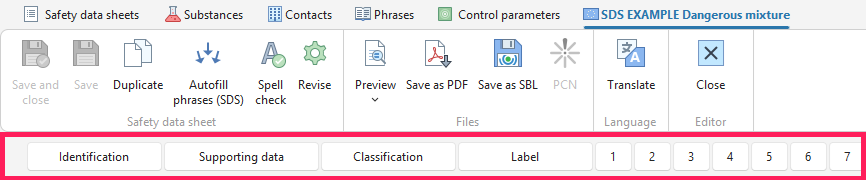
- Navigator – allows you to quickly switch between individual sections of the safety data sheet.
Tips for working with the software
Sample SDS can be used for training in different languages. Import them via the Safety data sheets tab → bottom part of the Import button → Sample safety data sheets.
The currency of safety data sheets and substances can be checked using the Traffic light function in the Revision column.
For a quick start, use video tutorials. You can find them on the website and in the software under the Help menu.
In SBLCore Green, set up regular database backups. Click Settings → Backups and configure automatic database backups.
Not sure what to do? Contact us via e-mail. It helps if you describe the problem in detail. You can also request remote support via the Help → Remote Support button. We will connect to you via TeamViewer.